











This page covers the main ways to access your Helabet account in Tanzania, from signing in for the first time to recovering a forgotten password. It also explains how registration works, what information you may need for verification, and how to use the mobile app. Whether you are opening an account or returning to place a bet, the instructions below focus on the actions and checks that help you avoid common access problems.

Signing In to Your Helabet Account
The login form is normally available at the top of the page on desktop and mobile. You need the phone number or email address connected to your account, together with your password. Enter the details carefully, select the sign-in control, and wait for the account dashboard to load. Once access is restored, you can review your balance, open bets, account settings, and available deposit options.

Check that caps lock is off and that there are no extra spaces in the phone number or email address. If you are using a shared computer, do not save the password in the browser. Sign out after finishing, particularly if the device is also used by other people. Your account may contain personal details and funds, so access credentials should be kept private.
If the page does not load correctly, refresh it and check your internet connection before trying repeatedly. A browser update or clearing an old cached page can also help. Avoid entering your details on links sent by unknown people; open the website yourself and confirm that the address is correct before signing in.
How to Register on Helabet
To create an account, open helabettz.com and select the registration option. Complete the form with accurate personal information, such as your full name, date of birth, phone number, and a password. The fields shown may vary by device or by the current registration process, so follow the instructions displayed on the page rather than guessing at missing information.
A verification code may be sent to your phone by SMS. Enter the code in the indicated field to confirm that you control the number. Keep the phone available until this step is complete, and do not share a verification code with another person. If the message is delayed, check the number you entered, wait briefly, and request another code only when the page provides that option.
You must be 18+ to register. Information supplied during registration should match your official identification documents. A mismatch in name or date of birth can cause delays when the account is reviewed or when a withdrawal is requested. Read the terms before accepting them, and create only one personal account unless the operator has expressly told you otherwise.
- Step 1: Open the official website and choose the registration option.
- Step 2: Enter your personal details and create a password that is not used elsewhere.
- Step 3: Confirm your phone number with the SMS code, if requested.
- Step 4: Review the information, accept the applicable terms, and submit the form.
After the account is activated, keep your login details in a secure password manager or another private place. Registration itself does not guarantee that every feature will be available immediately; identity or payment checks may still be required before certain account actions.
Logging In Through the Helabet App
The Android app provides another way to use the platform on a compatible phone. If you choose to install it, use the app page on helabettz.com and follow the installation instructions shown there. Check the requested permissions before proceeding, and keep Android and the app updated so that security fixes can be applied.
Open the installed app and enter the same credentials used on the website. There is no need to create a separate mobile account. If the app offers a device security feature, use it only on a private phone protected by a screen lock. Do not enable automatic access on a shared device.
A mobile connection can change while you are travelling, so wait for the login screen and account balance to finish loading before taking any action. For live betting, confirm that the market and odds are still current before submitting a bet. If the app stops responding, close and reopen it or use the mobile browser as a temporary alternative.
Recovering a Forgotten Password
Use the password-recovery link below the password field on the login page. Enter the phone number associated with the account and follow the verification instructions. A one-time code may arrive by SMS; enter it only on the official recovery screen, then choose a new password that is difficult to guess and different from passwords used on other services.
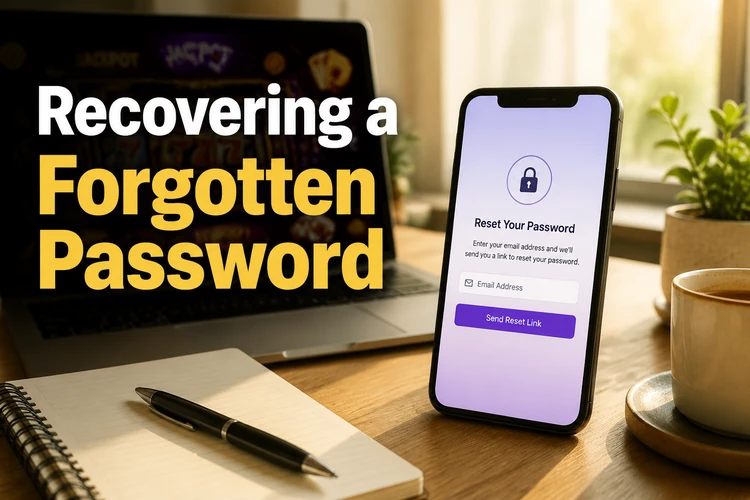
If the message does not arrive, check whether the phone has signal and whether the number was entered correctly. Do not request many codes in quick succession, as older codes may stop working when a new one is issued. If your number has changed, use the contact page and explain that you need help recovering an account. Support may ask for information to confirm your identity; never send a password or one-time code.
Partner Account Login
The partner dashboard is intended for approved affiliates rather than ordinary betting customers. It is separate from the player account and may use different credentials. If you have been given partner access, use the sign-in details and instructions supplied during approval instead of entering them on the standard player login form.
Partner accounts can include referral reporting, commission information, or campaign materials, depending on the access provided. If those details are lost, contact support and state that the request concerns a partner account. Keep business login information separate from personal betting credentials.
Account Security Tips
Use a long, unique password and avoid names, birthdays, or easy number sequences. Do not share it through SMS, social media, or messaging apps. Helabet support should not need your password to investigate a login problem. Be cautious with urgent messages asking you to confirm credentials or transfer funds, even if the message uses familiar branding.
Review account activity regularly. If you see an unfamiliar bet, changed contact detail, or withdrawal that you did not request, change the password and contact support promptly. You can also review the available limits and self-exclusion information on the responsible gambling page. These tools are useful when you want tighter control over time or spending.
For payment questions, check the instructions shown inside the account and confirm the recipient details before approving a transaction. Never give another person remote access to your phone while you are signed in. When using public Wi-Fi, avoid saving credentials and sign out before closing the browser.
FAQ
Open helabettz.com, select the login option, and enter the phone number or email address connected to your account together with your password. Check the details carefully before submitting the form.
Choose the registration option, provide the requested personal details, and confirm your phone number with the SMS code if one is sent. You must be 18+ and should use information that matches your identification documents.
Yes. Install the Android app from the app page, open it, and use the same credentials as on the website. The app and website use the same player account.
Select the password-recovery link on the login page and enter the phone number linked to your account. Follow the verification steps and create a new password. If you no longer have that number, contact support for help.
Creating an account is free. You only need to add funds if you decide to place bets, and any payment conditions shown in your account should be reviewed before completing a transaction.
Check your connection, caps lock, and the phone number or email linked to the account. If the issue continues, use password recovery and then contact support if you remain locked out. Never send your password or one-time code to anyone.